Story Privacy
Can Someone See If You Viewed Their Instagram Highlights? The 48-Hour Rule
Viewing a Highlight can show your username only within 48 hours of the original Story being posted. See the per-item clock, Instagram Plus and owner data.
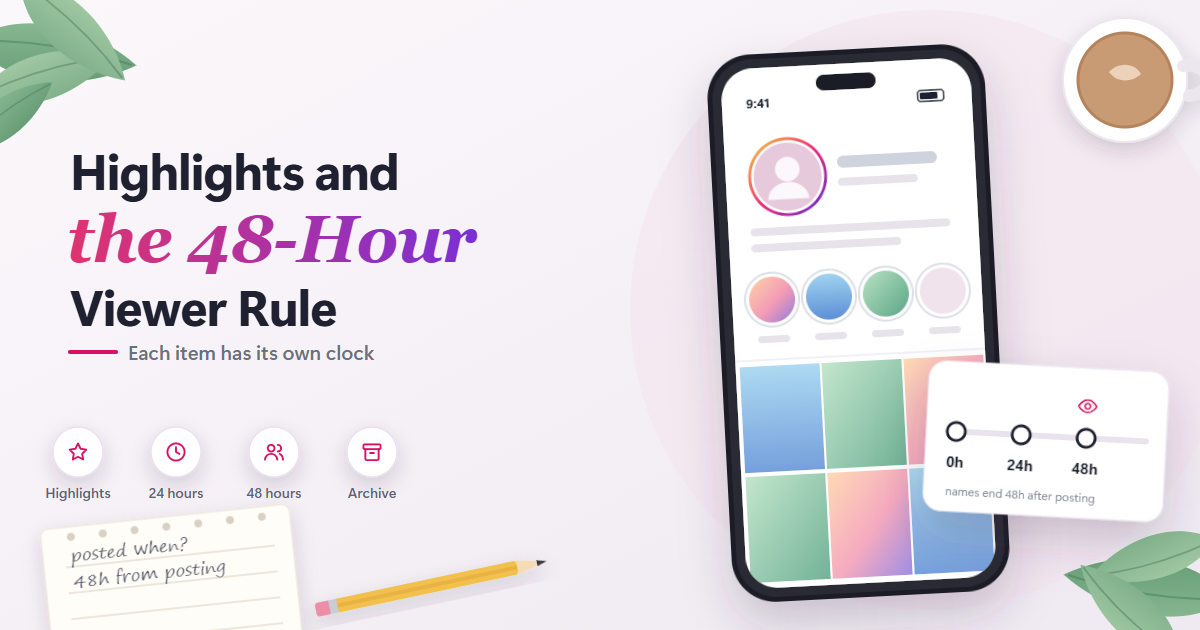
It depends on how old the original Story is. If you watch a Highlight item within 48 hours of when that Story was first posted, your username can appear in the owner’s viewer list, just as if you had watched it in the Stories tray. After that window closes, Instagram shows the owner no names at all, and public accounts only get aggregate numbers in Insights.
So the useful question is not “is this a Highlight?” but “when was this Story posted?” This article explains how that clock works, why an old Highlight can hold a brand new Story, and what Instagram Plus does and does not change.
The Short Answer: The 48-Hour Rule
Instagram’s Help Center says the owner can see “the number and the Instagram usernames of the people who have viewed each photo or video in your story,” and that this viewer data is available for up to 48 hours after the Story was posted (Instagram Help Center).
A Highlight is a way of keeping a Story visible on a profile. Instagram says Stories added as Highlights “remain visible as highlights until you’ve removed them, even after the original story has disappeared” (Instagram Help Center). The Highlight keeps the content visible. Nothing Instagram documents says it keeps the viewer list open.
That leaves three outcomes:
- Story posted less than 48 hours ago: watching it in a Highlight can add your username to the owner’s viewer list.
- Story posted more than 48 hours ago: Instagram shows the owner no names for that item.
- Public account, any time within two years: the owner may see totals such as Views and Viewers in Insights, never a username.
When Does the 48-Hour Clock Start?
The clock starts when the Story was originally posted. It does not start when the owner adds that Story to a Highlight, and it does not start when you open the Highlight.
Instagram ties the window to posting: viewer data is available “up to 48 hours after you’ve posted it.” Instagram does not say that adding a Story to a Highlight resets or extends that window, and no Help Center page describes a separate viewer list for Highlights.
Timeline of a single Story
| Time since posting | Where the Story lives | What the owner sees |
|---|---|---|
| 0 to 24 hours | Live in the tray, plus any Highlight | Count and usernames |
| 24 to 48 hours | Out of the tray; still in any Highlight | Count and usernames, via Archive |
| 48 hours and later | Archive, plus any Highlight | No usernames; Insights totals on public accounts |
During the first 24 hours, the owner opens the live Story and swipes up to see who watched. From 24 to 48 hours, the Story has left the tray, so the owner reaches the same viewer list through their Archive. After 48 hours, the names are no longer available.
Why adding a Story to a Highlight does not reset the window
Some pages claim that pinning a Story to a Highlight starts a fresh 48 hours, or that Highlights keep a rolling “last 48 hours” list of viewers. Instagram’s current Help Center does not describe either behavior. The documented rule is tied to when the Story was posted, and Instagram does not say that adding it to a Highlight changes that.
Features can change and are not identical for every account, so treat this as the documented behavior as of September 2026 rather than a permanent guarantee.
Old Highlights vs Recent Highlights
A Highlight is a container. Its cover and name can be years old while the items inside are brand new, and the reverse is also true.
A Highlight created today can contain a Story posted 10 minutes ago, or a Story posted three years ago and pulled from the Archive. Each item carries its own clock, set by its own posting time. The age of the Highlight itself does not decide anything.
Example: one Highlight, three different clocks
Picture a “Travel” Highlight with three items:
- A Story posted two years ago. Watching it cannot put your name in a viewer list, because that window closed long ago.
- A Story posted last week. Same result: it is outside the 48-hour window.
- A Story posted this morning and added to the Highlight right away. Watching this one can show your username to the owner.
If you tap through the whole Highlight, you could be unnamed for the first two items and named for the third. There is no single viewer list for a Highlight; each list belongs to an individual Story.
How to tell how old a Highlight item is
Check the date or time shown on the item, where Instagram displays it. If the label reads in minutes or hours, the item may still be inside the 48-hour window. If it shows a date or a longer period, the window has most likely closed.
If you cannot find any posting time, assume the item could be recent. That is the careful choice, because a recorded view cannot be taken back.
What the Highlight Owner Can See
The owner’s data splits into two kinds: named identity (usernames) and aggregate analytics (numbers). They follow different rules.
Named viewers, up to 48 hours after posting
Inside the window, the owner sees the usernames of accounts that viewed each photo or video. Instagram says “Only you are able to look at who’s seen your story,” so other people watching the same Highlight cannot see who else watched.
Instagram also notes that “the number of story views includes all the replays of your story,” so the count can be higher than the number of names. The list is a list of accounts, not a log of plays, and Instagram documents no per-person replay counter. If rewatching is your worry, see whether someone can see how many times you viewed their Story.
If the Story was also shared to Facebook, Facebook viewers appear further down the same list.
Aggregate Insights, up to two years
Story Insights require “a public (personal or professional) account.” Private accounts get none. Instagram describes these metrics (Instagram Help Center):
- Views: “the number of times that your story has been played or displayed,” which counts repeats.
- Viewers: “Unique accounts that saw your story at least once.”
- Interactions: “replies, shares, sticker taps, link taps and other engagement metrics.”
- Profile activity: “actions taken from your story, such as profile visits, follows or website clicks.”
Insights are available “for up to two years after they’re created.” Every figure is a number, not a name. Instagram does not document whether plays that happen through a Highlight more than 48 hours after posting are added to a Story’s Views, so do not assume either way.
This holds for public personal accounts, Creator accounts and Business accounts alike. No account type gets a named list of Highlight viewers once the 48-hour window has passed.
Does Instagram Notify Someone When You View a Highlight?
No. No Instagram Help Center page describes a notification for viewing a Highlight. The only way a plain Highlight view can identify you is the Story viewer list, and only inside the 48-hour window.
Interacting is a different matter. Replies to a Story go to the poster’s Direct messages, and Instagram says “Only the person who shared the story can see your like,” which means the poster can. Those actions identify you on their own, separate from the viewer list and its time limit.
Instagram Plus and Highlights
Instagram Plus is a paid subscription that launched globally in mid-2026, reported at $3.99 per month in the US (prices vary by market). Instagram says included benefits may vary, and its Help Center notes the feature “is not available to everyone at the moment” (Instagram Plus on about.instagram.com). Three of its features touch on Highlight viewing.
Story Extend
Story Extend gives a Story “an additional 24 hours,” so it can stay live for 48 hours in total. Instagram does not document how Story Extend affects the 48-hour viewer window. It may stay tied to the original posting time or it may shift; there is no official answer.
Instagram also does not document whether viewers can tell that a Story was extended. If an item is only a few days old and you care about staying unnamed, the cautious assumption is that your view might still be recorded.
Story Preview
Instagram says “Story Preview lets you peek at someone’s story without appearing in their viewer list,” and its Help Center adds that subscribers who preview a Story are not included in the viewer list or view number.
What Instagram has not documented: whether Preview works on Highlights, whether it shows the full Story or only part of it, and whether interacting during a Preview reveals you. Until Instagram clarifies, do not count on Preview for a recent Highlight item.
Search Viewer Sheet and Rewatch Count
On the owner’s side, “Search Viewer Sheet helps you quickly find if a specific person saw it.” It makes checking for one person faster, but it searches the same viewer list. Instagram does not describe it adding names after the 48-hour window.
Story Rewatch Count “shows how many times your story was replayed.” It is a total for the Story, not a list of who rewatched.
Close Friends Stories in Highlights
Instagram says Highlights follow the audience you allowed for your story. That implies a Close Friends Story added to a Highlight stays visible only to people on the Close Friends list, although Instagram does not state this explicitly for Close Friends.
As far as Instagram documents, the same 48-hour rule applies to those items. If you are on the list and watch within 48 hours of posting, your username can appear. If you are not on the list, you should not see the item at all. For more, read how Close Friends Stories work and why outside tools cannot open them.
Scenario Table: Will Your Name Show Up?
| Highlight Scenario | Viewer Name Visibility |
|---|---|
| Story posted 3 hours ago, already in a Highlight | Yes, your username can appear |
| Story posted 30 hours ago | Yes, owner sees it via Archive |
| Story posted 3 days ago | No names; totals only on public accounts |
| Highlight created today from a year-old Story | No names; that Story’s window closed |
| Story extended with Instagram Plus Story Extend | Undocumented; you may be named |
| Close Friends Story in a Highlight | 48-hour rule, list members only (implied) |
| Anonymous viewer on a public account | Not under your username, when working as described |
How to View Public Highlights Without Your Username
If an item might be inside the 48-hour window and you do not want your account on the list, you can check a public account’s Highlights with our anonymous Instagram Story viewer. It does not ask you to log in to Instagram, and your personal Instagram account is not the one requesting the Story, so no view is logged under your username when the tool works as described.
The limits matter. The tool covers public accounts only, cannot open private accounts or Close Friends Stories, and cannot show who viewed any Story. It relies on an outside data source, so it may not load every account every time. Viewing and downloading Highlights step by step is covered on the homepage, so it is not repeated here.
Highlights vs the Story Archive
Highlights and the Archive often get mixed up. A Highlight is visible to the Story’s allowed audience. The Archive is the private copy Instagram saves for the owner, and Instagram says archived stories “can’t be seen on Instagram unless you choose to share them” (Instagram Help Center).
When you watch an old Story on someone’s profile, you are watching a Highlight, never their Archive. For the owner’s side of that, read who can see your Instagram Story Archive.
Quick Checklist Before You Tap a Highlight
- Check the posting time shown on each item, where Instagram displays it.
- Remember that every item in a Highlight has its own 48-hour clock.
- Treat a very recent item exactly like a normal Story view.
- Treat Stories that may have been extended as unknown territory.
- Skip replies and likes if you want to stay unseen, since the poster sees those.
- For public accounts, use a no-login viewer if you do not want your username involved.
Frequently Asked Questions
Can people see who viewed their Highlights after 48 hours?
No usernames are available once 48 hours have passed since the Story was posted. Public personal and professional accounts can still see aggregate Insights such as Views and Viewers for up to two years. Those are numbers, not names.
If I watched a recent Highlight item yesterday, will the owner still see my name next week?
No. Instagram keeps viewer names for up to 48 hours after the Story was posted, so your name is no longer available once that window closes. Before then, the owner can find it through the live Story or their Archive.
Does a private account see more Highlight viewer data than a public one?
No. Both see the same named viewer list within 48 hours of posting. Private accounts get no Story Insights, so after the window they see nothing, while public accounts see totals only.
Can other people who watch the same Highlight see that I watched it?
No. Instagram says only the Story owner can look at who has seen a Story. Other viewers see the Highlight content, not its viewer list.
Can the owner see how many times I opened a Highlight item?
The view number includes replays, but the viewer list shows accounts rather than a log of plays. Instagram documents no per-person replay counter. Instagram Plus adds a Story Rewatch Count, which is a total for the Story and not a list of who rewatched.