Story Privacy
Who Can See Your Instagram Story Archive? Can Other People View Old Stories?
Only you can see your Instagram Story Archive. Learn how it differs from 24-hour expiry, how old Stories become visible again, and what deletion really does.
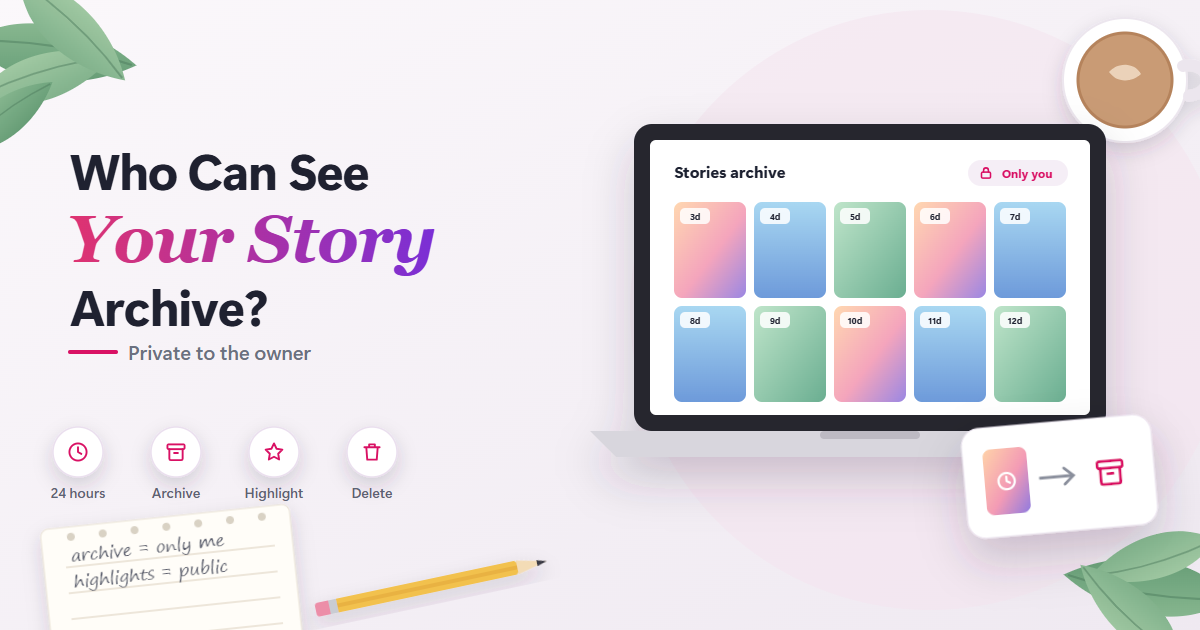
Only you can see your Instagram Story Archive. A Story leaving public view after 24 hours is different from the private copy Instagram saves to your Archive: the first is gone for everyone else, the second stays with you. Followers, strangers and third-party tools cannot open someone’s Archive, because Instagram says archived Stories “can’t be seen on Instagram unless you choose to share them.”
The only way other people see an old Story is if the owner shares it again, most often by adding it to a Highlight.
Public Expiry vs the Private Archive
Two separate things happen when a Story reaches 24 hours, and they are easy to confuse.
What disappears for everyone else
Instagram’s Help Center says “Photos and videos you share to your story disappear from Feed, your profile and Direct after 24 hours, unless you add it as a highlight” (Instagram Help Center). The basic 24-hour lifespan of a Story is explained on our anonymous Instagram Story viewer page, so this article focuses on what happens afterward.
What stays with the owner
At the same moment, Instagram keeps a copy in the Stories archive automatically, as long as the “Save story to archive” setting is on. That setting sits in your settings under Archiving and downloading (Instagram Help Center).
The saved copy is private. It is not a hidden tab on your profile, a public page, or something another account can request.
Who Can See Your Story Archive?
Only the account owner. Instagram’s own wording is: “Your memories and archived stories can’t be seen on Instagram unless you choose to share them.”
That covers every kind of outside viewer:
- Followers: cannot open your Archive, including approved followers of a private account.
- Close Friends: being on your list gives no Archive access.
- Non-followers and strangers: cannot open it, whether your account is public or private.
- Third-party websites and apps: cannot reach it, because the Archive is not shared anywhere they could request it from.
Instagram’s statement about Archive privacy makes no exception for Personal, Creator or Business accounts. Public status only affects who can watch your live Stories and Highlights; if you want to know how that works for people who do not follow you, see Instagram Story views from non-followers.
Instagram also notes that “Stories archive is not available for all accounts,” so some people may not see the option at all.
What the Owner Can Do With Archived Stories
From the Archive, the owner can:
- Download a Story to their device.
- Reshare it as a new Story.
- Add it to a Highlight.
Archiving can also change a Story. Instagram says it may mean “muting music or freezing videos or gifs.” If an old Story looks or sounds different from how you remember it, that is a likely reason.
Archiving a Story before 24 hours
You do not have to wait for the full day. Instagram lets the owner archive a Story manually before the 24 hours are up, which moves it into the private Archive early.
Turning automatic archiving off
If you turn off “Save story to archive,” Stories you share from then on are deleted after 24 hours instead of being kept. Instagram does not describe this setting as affecting other people’s access, because nobody else had access in the first place.
How Old Stories Become Visible Again
An archived Story stays private until the owner acts. There are two routes back into public view.
Highlights
Highlights are the main public route for old Stories. Instagram’s Help Center says Stories added as Highlights “remain visible as highlights until you’ve removed them, even after the original story has disappeared.” Instagram says Highlights follow the audience you allowed for your story, so a Highlight on a private account is still limited to approved followers.
When someone watches an old Story on your profile, they are watching a Highlight, not your Archive. Whether that view shows their name depends on when the Story was first posted, which is covered in can someone see if you viewed their Instagram Highlights.
Resharing from the Archive
Resharing an archived Story is a new share. It reaches the audience you pick at that moment, which can be different from the original audience, and people who watch it can appear in the viewer list for that new share.
Think of it as posting again rather than reopening the old Story. Instagram documents viewer data per share, tied to when that share was posted.
Can You See Who Viewed an Archived Story?
Only for a short time. Instagram says viewer data is available for up to 48 hours after a Story is posted, and hours 24 to 48 are reached through the Archive (Instagram Help Center).
Named viewers, up to 48 hours
Within 48 hours of posting, the owner can open the Story from the Archive and see the usernames of people who viewed it. Instagram notes that “the number of story views includes all the replays of your story,” so the number can be higher than the count of names. More on that in whether someone can see how many times you viewed their Story.
Aggregate Insights, up to two years
After 48 hours, names are no longer available. Public personal accounts and professional accounts can still see Story Insights, which Instagram says are available “for up to two years after they’re created” (Instagram Help Center).
Those Insights include Views, Viewers (“Unique accounts that saw your story at least once”), Interactions and Profile activity. All of it is numbers, never usernames. Private accounts get no Story Insights, so an archived Story older than 48 hours on a private account carries no viewer information for the owner.
Keeping a Story in the Archive does not preserve a permanent list of who watched it.
Old Story vs Old Highlight
| Where an old Story lives | Who can see it | Viewer names? |
|---|---|---|
| Archive only | Owner only | Up to 48h after posting |
| Highlight, public account | Anyone who can open the profile | Up to 48h after posting |
| Highlight, private account | Approved followers | Up to 48h after posting |
| Highlight from a Close Friends Story | Close Friends list (implied) | Up to 48h after posting |
| Reshared from Archive | Audience chosen for the new share | For the new share |
| Recently deleted | Not other users | Not documented |
The Close Friends row is qualified because Instagram says Highlights follow the Story’s audience but does not spell out the Close Friends case directly.
Archive Settings and Actions
| Archive setting or action | What happens |
|---|---|
| “Save story to archive” on | Stories saved automatically |
| “Save story to archive” off | New Stories deleted after 24 hours |
| Archive a Story manually | Moved to Archive before 24 hours |
| Download from Archive | Copy saved to your device |
| Reshare from Archive | Shared as a new Story |
| Add to a Highlight | Visible to the allowed audience |
| Delete an archived Story | Moves to Recently deleted |
| Keep publicly shared Stories archived | May be used to improve AI at Meta |
Deleting Stories From the Archive
Deleted content moves to Recently deleted. Instagram says it is deleted automatically after 30 days, “or up to 24 hours for stories that aren’t in your stories archive” (Instagram Help Center).
Deleted content is not accessible to other Instagram users. Full deletion “may take up to 90 days” to complete, and copies may remain in backup storage. Deleting removes the Story from other people’s reach on Instagram, but not every copy on Meta’s systems disappears the same day.
The Meta AI Line Most Guides Skip
Instagram’s Archive help page includes this sentence: “Archived stories that you shared publicly will be used to improve AI at Meta unless you delete them or change your account to private.”
This is a separate question from who can see your Archive. Other users still cannot open it. The line is about Meta’s own use of Stories you shared publicly, and the two options Instagram names are deleting those archived Stories or switching your account to private.
This wording reflects the Help Center as of September 2026. Meta can change its AI policies, so check the current page if this matters to you.
Common Misconceptions About the Story Archive
Many results for this topic promise ways to “view other people’s old Stories.” That framing mixes up three different things: the Archive, Highlights and the viewer list. Here is how they actually separate.
“If a Story is archived, followers can still find it somewhere”
They cannot. Once a Story leaves Feed, the profile and Direct after 24 hours, the only public copy is a Highlight the owner chose to create. Everything else sits in the owner’s Archive, which Instagram describes as not visible on Instagram unless the owner shares it.
“Archived Stories keep a permanent record of who watched”
They do not, at least not by name. Usernames are available for up to 48 hours after posting. After that, only public accounts get Insights, and those are totals such as Views and Viewers rather than a list of people.
“An owner-only Archive means nobody else uses those Stories”
Other users cannot open it, but Instagram’s Help Center says archived Stories you shared publicly will be used to improve AI at Meta unless you delete them or change your account to private. Privacy from other users and Meta’s own use are separate questions.
“Deleting a Story erases it everywhere immediately”
Instagram says deleted content is not accessible to other users, but deletion can take up to 90 days to complete and copies may remain in backup storage. The Story is out of other people’s reach well before every copy is gone.
Privacy Checklist for Your Story Archive
- Decide on automatic saving. Turn off “Save story to archive” if you do not want copies kept; future Stories are then deleted after 24 hours.
- Review your Highlights. They are the part of your old Stories that other people can actually see.
- Check your account’s audience. A public account’s Highlights reach far more people than a private account’s.
- Pick the audience before resharing. A reshared Story is a new share with its own viewers.
- Delete what you no longer want. Remember Recently deleted and the up to 90-day deletion process.
- Consider the Meta AI line. Review publicly shared archived Stories, or weigh switching to private.
- Protect your login. Anyone signed in to your account sees your Archive exactly as you do.
Can “Old Story Viewer” Sites See Archived Stories?
No. Sites and apps that promise to show someone’s old or archived Stories cannot reach the Archive, because Instagram keeps it private to the owner. At most, an outside tool can show what is already public: current Stories and Highlights on public accounts.
Some of these services ask for an Instagram login. Instagram’s Help Center warns “you should never share your login information with an app you don’t trust,” and says third-party apps with your login “can gain complete access to your account.” That is a real risk, and it still would not reveal someone else’s Archive.
Our anonymous Story viewing tool has the same honest limits. It shows only currently public Stories and Highlights from public accounts, does not ask you to log in to Instagram, and cannot show Archive content, private accounts, Close Friends Stories or who viewed a Story. If a public account has a Highlight, that is the old content anyone can see; anything kept only in the Archive stays with its owner.
Frequently Asked Questions
Can my followers see my archived Stories if my account is public?
No. A public account changes who can watch your live Stories and Highlights, not who can open your Archive. Archived Stories stay visible only to you unless you share them again.
Can I see who viewed a Story I posted a month ago?
Not by name. Instagram keeps viewer usernames for up to 48 hours after posting. If your account is public, you can still see aggregate Insights such as Views and Viewers for up to two years.
Can other people see Stories in my Recently deleted folder?
No. Instagram says deleted content is not accessible to other Instagram users. It sits in Recently deleted for up to 30 days, or up to 24 hours for Stories that were not in your Archive, before automatic deletion.
Can someone see my Archive if they have my password?
Yes. Anyone logged in to your account sees your Archive the same way you do. That is why Instagram warns against sharing your login with apps you don’t trust, since those apps “can gain complete access to your account.”
Does switching to a private account stop Meta from using my archived Stories for AI?
Instagram’s Archive page says archived Stories you shared publicly will be used to improve AI at Meta unless you delete them or change your account to private. So switching to private is one of the two options Instagram names. Either way, your Archive itself was never visible to other users.