Post Privacy
Can Someone See If You Viewed Their Instagram Post?
Instagram never names who viewed a photo post or carousel. Learn what Views count, which actions reveal you (likes, comments) and which stay private (saves).
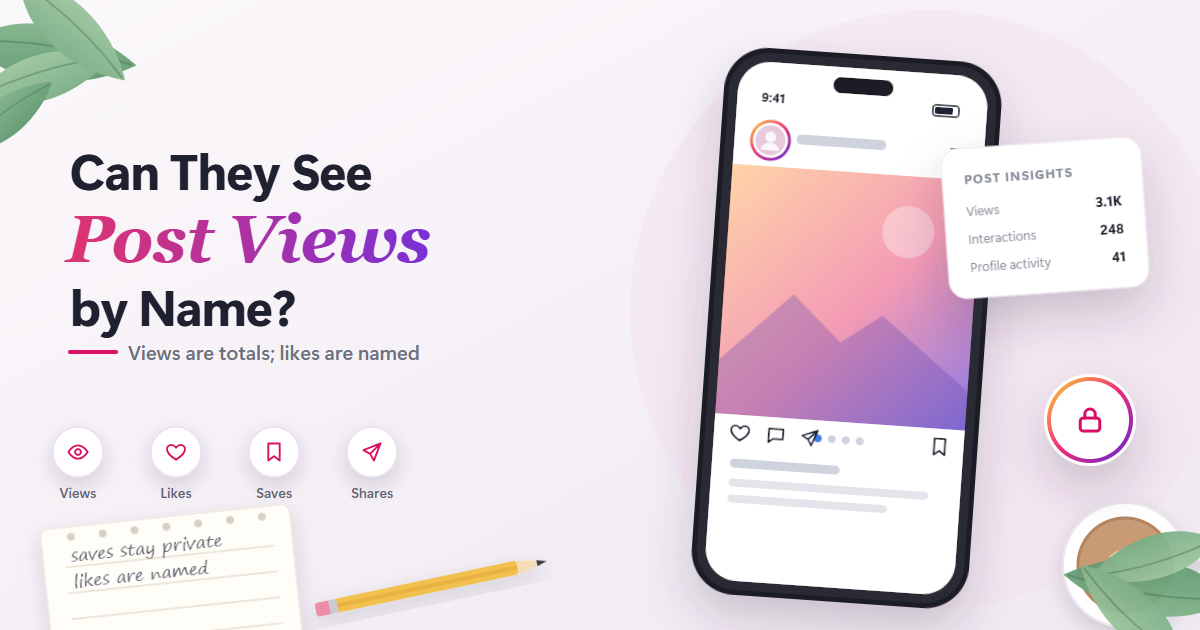
No. Instagram does not show a Post’s owner a list of who viewed a photo Post or a Carousel. Public accounts see Views in Insights, but only as a number with no usernames attached. Likes and comments are different: the owner can see who liked their Post, and comments are public.
So looking at a Post, whether you scroll past it in Feed or open it from a profile, stays anonymous to the owner. What changes that is interacting with it. This guide covers each action on a feed Post, what the owner sees in Insights, and where Posts end and profiles and Reels begin.
What the Owner Can and Cannot See When You View a Post
Viewing and interacting are two separate things on Instagram. Viewing only feeds aggregate numbers. Some interactions put your name in front of the owner.
Photo Posts
Opening a photo Post, scrolling past it or zooming in does not create a named record for the poster. There is no “seen by” list on feed Posts the way there is on Stories.
On a public account, your view can count toward the Post’s Views in Insights. Instagram defines Views as “the number of times your content has been displayed” (Instagram Help Center). That is a count of displays, not a list of people.
Carousel Posts
A Carousel is a single Post with several photos or videos you swipe through. Swiping from slide to slide leaves no named record either. The owner cannot see that you, specifically, reached the last slide.
Instagram’s Help Center does not document slide-by-slide metrics for Carousels. Any claim that a creator can see who viewed each slide, or how far each person swiped, is not supported by Instagram’s own documentation.
Opening a Post from the grid vs seeing it in Feed
There are two common ways to see a Post. It can appear while you scroll your Feed, or you can go to someone’s profile and tap it in their grid.
For the owner, both look the same: an aggregate Views number. Because Views counts every time the content is displayed, repeat views add to the total. Seeing the same Post five times can push the number up without the owner ever learning who did it.
Going to the profile first is a separate question about profile visits, which are also not named. That is covered in can someone see if you viewed their Instagram profile.
Video inside a feed Post
If a Post contains video, the same principle holds: there is no named viewer list. Some older articles, and a legacy Help Center page, still describe a 3-second rule for counting video views. That guidance predates the 2024 switch to Views as the main metric, so treat it as outdated.
Reels are their own format with their own counting rules, including public view counts. For those, see can someone see if you viewed their Instagram Reels.
Likes, Comments, Saves and Shares
This is where anonymity usually breaks. Some actions on a Post are named, some are anonymous, and some sit in between.
Liking a Post
Likes are named to the poster. The “Likes you’ve made” setting lets you choose who else can see your likes: Allow everyone, people you follow, close friends, or Don’t allow anyone.
That setting controls other people, not the owner. Instagram’s Help Center says: “Regardless of your setting choice, the account that posted the content you liked can see that you liked their post or reel” (Instagram Help Center). Likes also count in the Post’s Interactions.
Commenting
Comments are public to anyone who can see the Post, including the owner. They count in Interactions, and your username sits next to the comment.
Saving a Post
Saves are anonymous. Instagram’s Help Center says: “Only you can see the posts you’ve saved. When you save someone’s post, they’re not able to tell that you’ve saved it” (Instagram Help Center).
The owner can still see saves as part of the aggregate Interactions number, which Instagram describes as “likes, comments, saves and shares.” They just cannot see who saved.
Sending a Post by DM
Sharing a Post to a friend in a direct message does not notify the original poster, according to Instagram’s help pages (Instagram Help Center). The person you send it to will obviously know it came from you.
The share can still count in the Post’s aggregate Interactions. No username is attached to that count.
Resharing a Post to your Story
Resharing a Post to your Story is not a quiet action. Everyone in your Story’s audience can see the reshare, and it is posted from your account, so it is tied to your username. Instagram does not fully document when the original poster is alerted, so assume they can find out.
Reposting
Instagram launched reposts for public Reels and feed Posts on August 6, 2025. A repost appears in your followers’ feeds and in a separate reposts tab on your profile, where anyone who can see your profile can find it.
Whether the original creator gets a notification naming you is not clearly documented. Because the repost is visible on your own profile, treat it as a public action.
Your activity can reach your friends too
The poster is not the only audience for named actions. Since August 2025, the Friends tab in Reels shows public content that friends have liked, commented on, reposted or created. Instagram describes that feed as public content, so a like or comment you leave publicly may surface to people you know, not just to the owner.
Instagram gives users controls over whether their own activity appears there. If you want likes to stay between you and the poster, check both the Likes you’ve made setting and your Friends tab activity settings.
Close Friends Posts
Instagram lets people share a Post with only their Close Friends list. Instagram’s Help Center says that “when you share things like a post, note, reel or story, you can choose for only people on that list to see it,” and members see a Close friends label so they know they are on the list.
Instagram does not document a named viewer list for Close Friends Posts. For Reels shared to Close Friends, the Help Center says other people on the list can see the username of someone who likes, comments on or shares the Reel. Instagram does not spell out the same rule for photo Posts, so assume a like or comment may be visible to others on that list.
Post Actions at a Glance
| Post Action | Does the Owner See Your Name? | Counted in Insights? |
|---|---|---|
| Scroll past in Feed | No | Views |
| Open from the profile grid | No | Views |
| View it again | No | Views (repeats count) |
| Zoom into a photo | No | Not documented |
| Swipe Carousel slides | No | Views; per-slide not documented |
| Like | Yes | Interactions |
| Comment | Yes, publicly | Interactions |
| Save | No | Interactions |
| Send by DM | No | Interactions (as a share) |
| Reshare to your Story | Assume yes | Interactions (as a share) |
| Repost | Public on your profile | Not documented |
| Visit their profile afterward | No | Can count in Profile activity |
| Take a screenshot | No | No |
How to Look at Posts Without Giving Yourself Away
Viewing a Post is already anonymous, so the goal is simply to avoid the named actions by mistake. A few habits cover almost every case:
- Watch your thumbs. A double tap on a photo likes it, and the poster can always see likes. If it happens, the like is visible for as long as it stays on the Post.
- Save instead of liking. If you want to find a Post again, saving keeps it in your private collection without telling the owner.
- Send it by DM instead of resharing. Sharing to a friend in a message does not notify the original poster, while a Story reshare or a repost is visible from your account.
- Skip the comments. Even a single emoji comment is public and carries your username.
- Leave their Story alone. Posts are anonymous to view, but tapping the profile photo ring opens a Story, and Story views are named for up to 48 hours.
None of these steps require a second account or an outside app. They only require knowing which actions are named.
What Owners See in Post Insights
Insights are the only place a Post owner sees viewing data. All of it is aggregate.
Which accounts get Insights
Post Insights require a public account, either personal or professional (Creator or Business). Older guides often say Insights are Business-only, but Instagram’s Help Center now includes public personal accounts.
Private accounts get no Insights at all. A private account owner cannot see a Views number for their Posts, let alone names. Insights stay available for up to two years after a Post is shared.
Views
Views is “the number of times your content has been displayed.” Because repeat displays count, Views is not the same as the number of people who saw the Post.
Interactions
Interactions covers “likes, comments, saves and shares.” The owner can open likes and comments to see usernames, because those actions are named anyway. Saves and DM shares stay as numbers.
Profile activity
Profile activity is “the number of actions people take when they visit your profile after engaging with your post.” It tells the owner that a Post drove some profile traffic, not who that traffic was.
Reach, Views and named identity
People often use “reach” to mean how many accounts saw a Post, and “views” to mean how many times it was shown. Professional dashboards may split reach by followers and non-followers, but only as numbers.
None of these figures crosses over into named identity. The only usernames a Post owner can see come from actions that were named to begin with: likes, comments and public reposts.
The 2024 change to Views
Around August 2024, Instagram made Views the primary metric across Reels, Live, photos, Carousels and Stories, and said repeat views would be counted, as Social Media Today reported at the time. Before that, many guides said photo Posts had no view counts at all. That is now outdated: photo Posts and Carousels do have Views in Insights for public accounts.
The change added a number. It did not add a viewer list.
Screenshots
Instagram does not notify someone when you screenshot their feed Post. Screenshot rules for Stories and other formats are covered in the quick FAQ on our anonymous Story viewing tool page.
Posts vs Profiles, Reels and Live
It is easy to mix these up, and many articles do. Each format has its own visibility rules:
- Feed Posts and Carousels: no named viewers; aggregate Views for public accounts.
- Profiles: no named visitor list for any account type; see the profile visits guide.
- Reels: no named viewer list, with view counts handled separately; see the Reels guide.
- Live: joining can be visible to the host and other viewers; see can someone see if you viewed their Instagram Live.
- Stories: named viewer list for up to 48 hours.
This reflects Instagram’s documented behavior as of September 2026. Instagram changes its metrics from time to time, so check the Help Center if a new feature appears.
Frequently Asked Questions
Can someone see if you viewed their Instagram post multiple times?
No. Views counts every time a Post is displayed, so repeat viewing can raise the number. The owner still sees only the total, with no way to tell that the extra views came from one account.
Can a private account see who viewed its posts?
No. Private accounts have no named viewer list for Posts and get no Insights, so they do not see a Views number either. They can still see who liked and commented, because those actions are always named.
Does zooming in on an Instagram photo notify the poster?
No. Zooming into a photo Post creates no notification and no named record. Instagram does not document zooming as a separate metric in Post Insights.
If a friend sends me a post in a DM and I open it, does the original poster know?
No. Opening a Post leaves no named record for the poster, however you reached it. Your friend knows they sent it, but the owner only sees an aggregate Views number if their account is public.
Can the owner see who viewed a carousel if they have a Creator account?
No. Creator and Business accounts get the same aggregate Post Insights as public personal accounts: Views, Interactions and Profile activity. Instagram does not document any Carousel metric that names viewers or shows which slides a specific person saw.