Story Privacy
Can Non-Followers See Your Instagram Story, and Can You See Who They Are?
Non-followers can open a public account's Story, and their usernames appear in your viewer list. Where strangers find your Story and how to limit them.
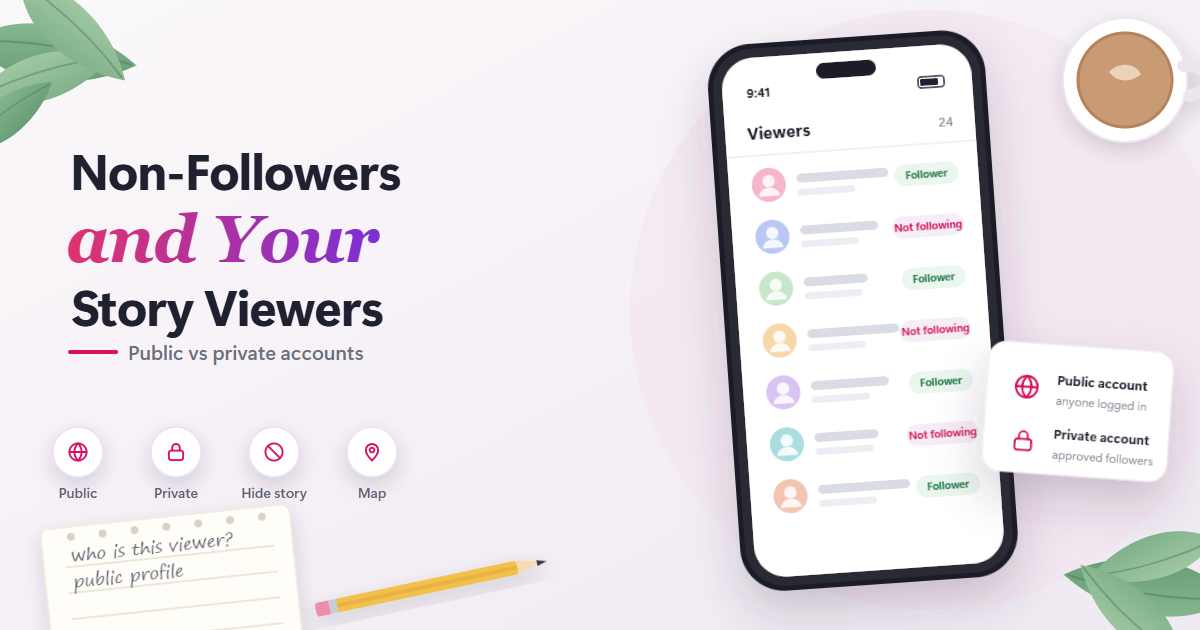
Yes, if your account is public. Any logged-in Instagram user can open a public account’s Story from the profile without following it, and when a non-follower watches from their own account, their username shows up in your viewer list just like a follower’s. If your account is private, only followers you approved can open your Story, so non-followers cannot watch it at all.
This guide is about the people who do not follow you: how they reach your Story, how they appear in your list, and how to limit them. For a broader look at public and private access, see our anonymous Instagram Story viewer page.
Who Can Open Your Story: Public vs Private
Instagram’s Help Center describes where your Story appears and who can see it. The account setting decides almost everything for non-followers.
Public accounts
On a public account, any logged-in Instagram user can open your Story from your profile. Following you is not required. Your Story may also surface in places where strangers browse, which is covered below.
Private accounts
On a private account, only approved followers can open your Story. A non-follower cannot watch it, so they never reach your viewer list.
How each setting affects your viewer list
| Account setting | Who can open your Story | Named in your viewer list? |
|---|---|---|
| Public | Any logged-in Instagram user | Yes, followers and non-followers |
| Private | Approved followers only | Yes, approved followers |
| Public, some people hidden | Everyone except hidden accounts | Hidden accounts cannot watch |
| Close Friends Story | Only people on your list | Yes, list members who watch |
| Any setting, viewer uses Plus Preview | People who could already open it | No |
Where Non-Followers Actually Find Your Story
A common claim online is that Instagram pushes your Story into strangers’ Stories trays. No official source supports that, and Instagram’s own descriptions point the other way.
The Stories tray is built from accounts you follow
Meta’s transparency system card for Stories ranking, updated in September 2025, describes the Stories tray as built from accounts a person follows. Someone who does not follow you would not normally see your Story in that row at the top of their Feed.
So when a stranger watches your Story, they almost always came in through a different door.
Places Instagram says any Story can appear
For every account, public or private, Instagram lists these places:
- your profile, as a ring around your profile photo
- the top of your followers’ Feed
- next to posts in Feed
- the Direct inbox and threads
- the Instagram map, if you tagged a location
For a private account, only approved followers can open the Story from any of these spots.
Extra places for public accounts
For public accounts, the Help Center says your Story “may also appear” in:
- Search and Explore
- shared stories with certain event stickers
- the Instagram map
These are the placements that put a public Story in front of people who do not follow you. The wording is “may,” so there is no guarantee a given Story shows up in any of them.
What changed from older guidance
Older guidance mentioned hashtag and location pages as places Stories could appear. The current Help Center page lists Search and Explore and the Instagram map instead. Articles that still point to hashtag pages are likely repeating the older text.
The usual routes a stranger takes
Putting this together, a non-follower typically reaches your public Story in one of these ways:
- They search your username and tap your profile ring.
- Your Story surfaced for them in Search and Explore.
- You tagged a location, and they found it on the Instagram map.
- You used an event sticker, and they reached it through a shared event Story.
- Someone sent them your profile or Story in a Direct thread or by link.
Does Your Viewer List Show Non-Followers?
Yes. Instagram’s Help Center says you can see “the number and the Instagram usernames of the people who have viewed each photo or video in your story”. That wording draws no line between followers and non-followers.
Instagram does not document a separate “non-followers” section or label, so expect non-followers to be mixed into the same list as your followers. To confirm whether an unfamiliar name follows you, open their profile or check your followers list.
Rules that apply to every name on the list
A few details from the Help Center apply to followers and non-followers alike:
- Viewer names are available for up to 48 hours after posting. Hours 24 to 48 are reached through your Archive.
- “Only you are able to look at who’s seen your story.” Other viewers cannot see who else watched.
- The view number includes replays, so it can be higher than the number of names. Our article on whether someone can see how many times you viewed their Story explains why.
Instagram does not document how the list is ordered. Where a non-follower sits in the list should not be read as a signal.
Facebook viewers are listed separately
If you shared the Story to Facebook as well, Facebook viewers appear further down the list. Those are people who saw the cross-posted Story on Facebook. They are not Instagram non-followers, so do not count them as strangers browsing your Instagram profile.
Why an Unknown Account Appears in Your List
An unfamiliar username in your viewer list is rarely a mystery once you remember how public Stories travel. These are the common explanations.
| Why an unknown account appears | What it usually means |
|---|---|
| Your account is public | Anyone logged in can watch |
| They searched your name | They visited your profile directly |
| Your Story surfaced in Search and Explore | Instagram showed it to a browser |
| You tagged a location | They found it on the Instagram map |
| You used an event sticker | They came through a shared event Story |
| Someone shared your profile | They arrived from a DM or link |
| They unfollowed you | Your public Story is still open to them |
| They do follow you | A follower you did not recognize |
Checking the account’s profile usually settles which of these applies. If an account looks empty or unwanted, you can hide your Story from it without messaging it.
How to Keep Specific Non-Followers Out
You have several options, from hiding a single account to changing who can see anything at all.
Hide your Story from specific people
Instagram lets you hide your Story and Live videos from specific people. You can do it from Settings under “Story, live and location,” or straight from the viewer list by opening the options menu next to a name.
Key points about how hiding works:
- It works on non-followers of a public account, not just followers.
- It applies to future viewing. The person cannot watch your Story from then on.
- Instagram says hiding your Story from someone “is different from blocking them, and doesn’t prevent them from seeing your profile and posts.”
The viewer list option is handy for exactly this situation: you spot a stranger, and you hide your Story from them in the same place.
Share to Close Friends instead
When you post a Story, you can choose to share it only with your Close Friends list. Only people on the list can see those Stories, people are not notified when you add or remove them, and no one can request to be added.
Members see a Close Friends label when viewing, and they may see a green ring around your profile photo. If you want to know whether outsiders can get around that list, read our guide on viewing Instagram Close Friends Stories anonymously.
Instagram Plus also offers multiple Story audiences, with custom audience lists beyond Close Friends, for subscribers who want more than one group.
Switch to a private account
Switching to private means only approved followers can open your Story. It is the broadest fix, since it closes the profile route, Search and Explore, and the map to anyone you have not approved.
The trade-off is analytics. Story Insights require a public personal or professional account, so a private account gets no Insights.
What Insights Tell You About Non-Followers
If your account is public and personal or professional, Story Insights show numbers about your audience. They never show names.
The main Story metrics are:
- Views: the number of times your Story was played or displayed, including repeats
- Viewers: unique accounts that saw your Story at least once
- Interactions: replies, shares, sticker taps, link taps and other engagement
- Accounts engaged: unique accounts that interacted
- Profile activity: actions taken from your Story, such as profile visits, follows or website clicks
Professional dashboards may split reach by followers and non-followers, but only as numbers. Instagram does not document a way to turn that split into a list of who the non-followers were.
A useful way to read it: a rising non-follower share plus profile visits and follows from your Story suggests it is reaching new people through search, Explore or the map. The names of those people are only available in the viewer list, and only for up to 48 hours. Insights themselves stay available for up to two years.
Viewers Who Never Appear in Your List
Not every person who sees your Story ends up as a name. Two situations matter here.
Instagram Plus Story Preview
Instagram Plus is a paid subscription that launched globally in mid-2026, reported at $3.99 per month in the US, with prices that vary by market. One feature, Story Preview, “lets you peek at someone’s story without appearing in their viewer list”.
The Help Center says subscribers who preview a Story are not included in the viewer list or the view number. That applies to anyone who can already open your Story, followers and non-followers alike.
Some details remain undocumented: whether Preview shows the whole Story or only part of it, whether interacting during a Preview reveals the viewer, and whether the poster is told anything. Instagram also says the feature is not available to everyone at the moment.
Anonymous viewer tools on public accounts
Tools that let people view public Instagram Stories anonymously do not use the visitor’s Instagram account. With our tool, the visitor does not log in to Instagram, and their personal account is not the one requesting the Story, so no view is logged under their username when the tool works as described.
That has two practical effects for you as a poster. A non-follower who uses such a tool will not show up as a name. Hiding your Story from their account also applies to that account, not to a request that does not come from it.
These tools only reach public accounts. They cannot show private Stories, Close Friends Stories, or who viewed a Story, and they do not work for every account every time. Our tool is not affiliated with Instagram or Meta. If this matters to you, a private account is the setting that closes that route.
As of September 2026, this is how Instagram describes Story audiences and viewer lists. Features like Instagram Plus are still rolling out, so details may change.
Frequently Asked Questions
Can my followers see which non-followers watched my Story?
No. Instagram says only you can look at who has seen your Story. Other viewers, followers or not, cannot open your viewer list or see who else watched.
Will a non-follower know I hid my Story from them?
The Help Center does not describe any notification when you hide your Story from someone. They also keep access to your profile and posts if your account is public, because hiding is not the same as blocking. The practical effect is that your Story is no longer available to them.
Do non-follower views count toward my Story view number?
Instagram does not describe any exclusion for non-followers. Their views, including replays, count toward the total the same way a follower’s do. The only documented exception is Instagram Plus previews, which are left out of both the list and the number.
Why does someone who unfollowed me still watch my Stories?
If your account is public, following is not needed to open your Story. A person who unfollowed you can still visit your profile and tap your ring. To stop that, hide your Story from them or switch to a private account.
Can non-followers see Stories I saved to Highlights?
Instagram says Highlights follow the audience you allowed for your Story, and Highlights stay visible until you remove them. On a public account, that means non-followers can usually open them from your profile. See whether someone can see that you viewed their Instagram Highlights for how Highlight views work.